
Import sessions directly
Aim
aim
To import Viso sessions in The Observer XT. This makes use of the Noldus network communication protocol N-Linx.
Prerequisites
prerequisites
- You have a license for The Observer XT 13 or a newer version.
- The computers with Viso and The Observer XT are in the same network and set up for communication with N-Linx. The procedure to set this up is present in the Viso Setup Manual.
- You recorded the sessions (Trainer), received session ownership or annotator rights or invitations to view the sessions or your user role is Administrator or Technician.
Procedure
procedure
- In The Observer XT, choose File > Preferences.
2.Open the tab Viso settings.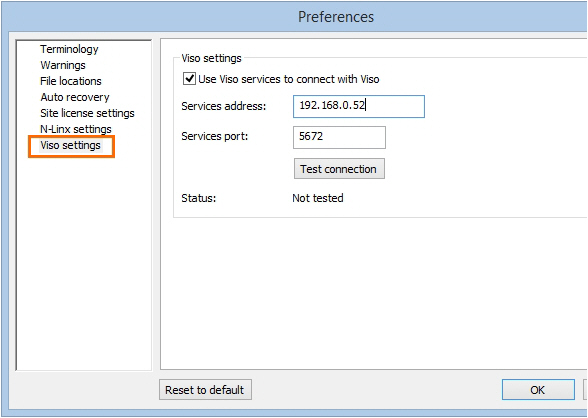
- Select Use Viso services to connect with Viso.
- In the Services address field, enter the computer name or IP address of the Viso Services computer. Ask your colleague who manages the Viso set-up for the details.
- In the Services port field, leave the default port number 5672.
- Click Test connection. If The Observer XT computer finds the Viso Services computer, the text Connected appears. Click OK.
- Create a new project or open an existing one (File> New/Open Project).
- Choose File > Import > Viso Sessions.
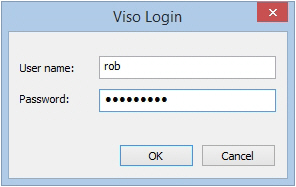
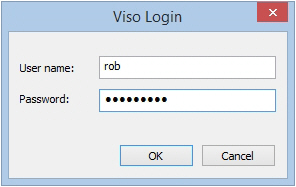
- Enter your Viso login details.
noteNOTE If you are logged in in Viso, log out first. You can only import the sessions that you are allowed to view.
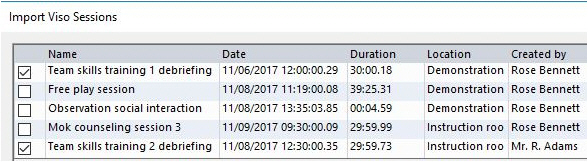
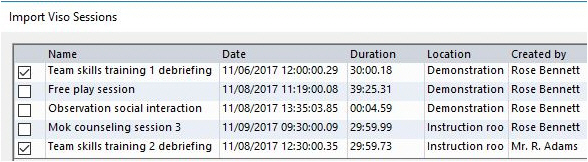
- Select the sessions and click Import.
Notes
NOTE
NOTE If you have a license for The Observer XT 12.5 or earlier, you cannot import sessions directly into Viso. You must Export sessions in Viso and import them in The Observer XTXT..