
Select an audio device
Aim
To select the audio source.
Prerequisites
- Your devices are connected to the computer with MediaRecorder, and, if applicable, switched on.
- MediaRecorder is open.
- You opened the Video Settings window. To do so, choose File > Video
Settings,Settings, or click Video Settings in the main window.
Procedure
- In the Video Settings window, select the microphones under Audio
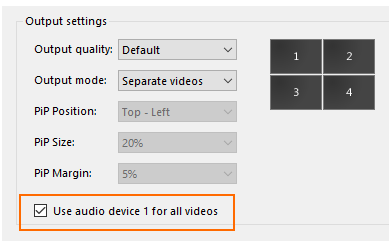
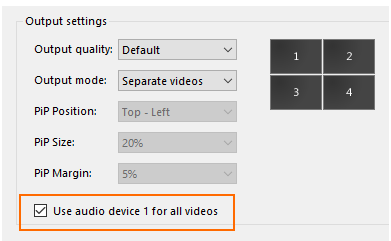
device.device. Choose between your computer microphone, a separate microphone, or the audio stream of your camera. Choose No audio to not record audio. - Optionally record the same audio stream in all videos. To do so, select this checkbox.
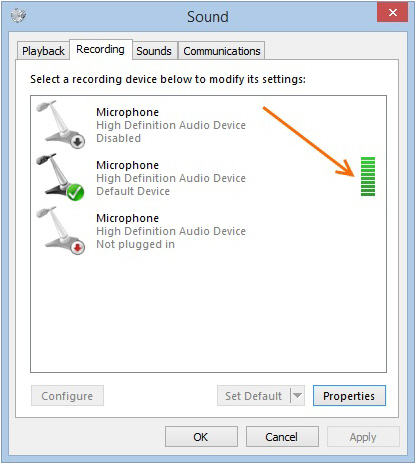
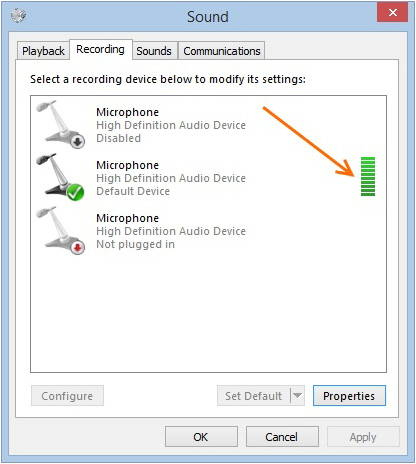
Check that the green bar is maximal when speech level is normal.
- Click the microphone button for Audio
settings.
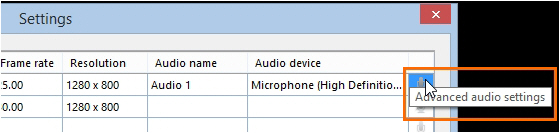
The available options depend on your microphones. Move the sliders to adjust the recording volume.
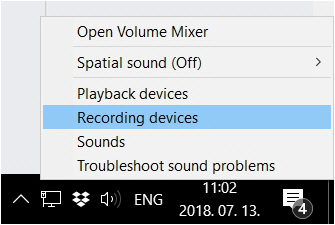
To check the recording volume, right-click the speaker icon in the bottom-right corner of your window and select Recording devices.devices.
Note
Audio is needed and has been tested only for cameras that are supported with The Observer XT.