
Create audio settings
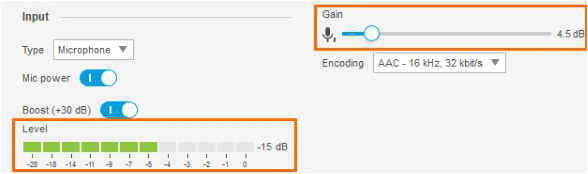
Aim
To optimize the recording volume.
Prerequisites
- You have Axis IP cameras that are supported with MediaRecorder.
See Supported IP cameras in Recording devices You followed the procedure in Ethernet card setup You connected all cameras. You gave the cameras an IP address.
- You gave the camera a password and selected the correct power line frequency.
See Set camera password and select power line frequency
- You followed the procedure in Create camera settings
Procedure
- Open the camera settings,
See Access camera settings
Note
You cannot record the audio of non-ONVIF devices in MediaRecorder. Optionally record audio from a separate microphone that is connected to the microphone input of the computer with MediaRecorder. The Axis cameras supported with MediaRecorder support ONVIF.