# Tabs
[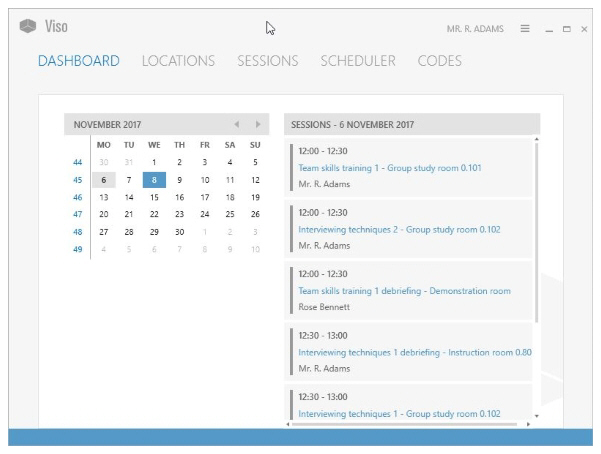](https://bookstack.noldus.com/uploads/images/gallery/2023-12/meDK82FsS9hTRW9c-image.png)
The Viso interface has the following tabs:
- [Dashboard](https://bookstack.noldus.com/link/730#bkmrk-page-title)
- [Locations](https://bookstack.noldus.com/link/731#bkmrk-page-title)
- [Sessions](https://bookstack.noldus.com/link/732#bkmrk-page-title)
- [Scheduler](https://bookstack.noldus.com/link/733#bkmrk-page-title) (if you have the Scheduler Module)
- [Codes ](https://bookstack.noldus.com/link/734#bkmrk-page-title)(if you have the Annotation Module)
### Viso modules and user roles
The interface depends on your Viso license and your user role. The **Scheduler** tab is present when you have the Scheduler Module, the **Codes** tab when you have the Annotation Module. The **Locations** tab is present when your user role allows session recording.